Step by Step.
Goto Azure Function -> Goto Settings -> Goto Identity
We need to click on “Yes” to enable. After enabling we will get Principal ID.

Principal ID will generate like below. We have to use this Principal ID in Key Vault later.

Click on “Azure role assignments”

Goto Key Vault like below

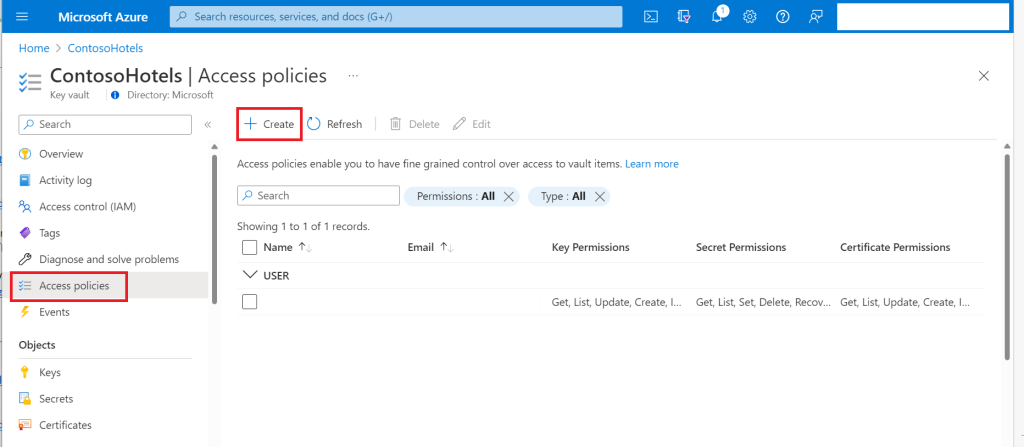
click on “+Create” and usually we need Get & List for Applications.
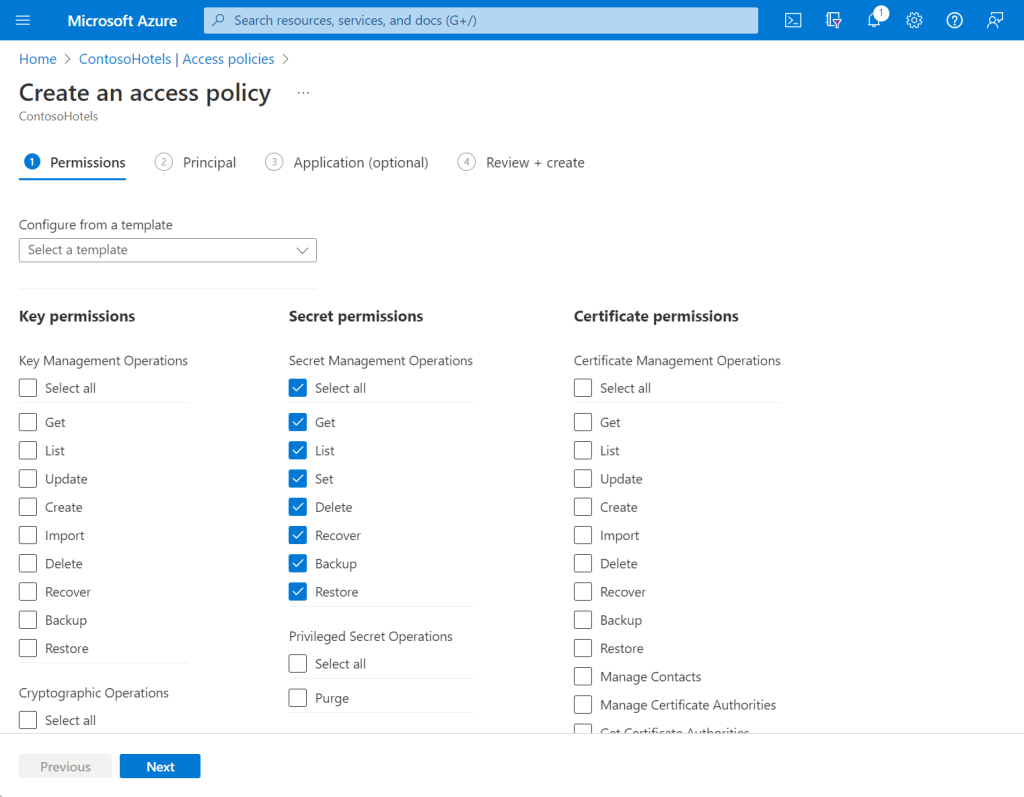
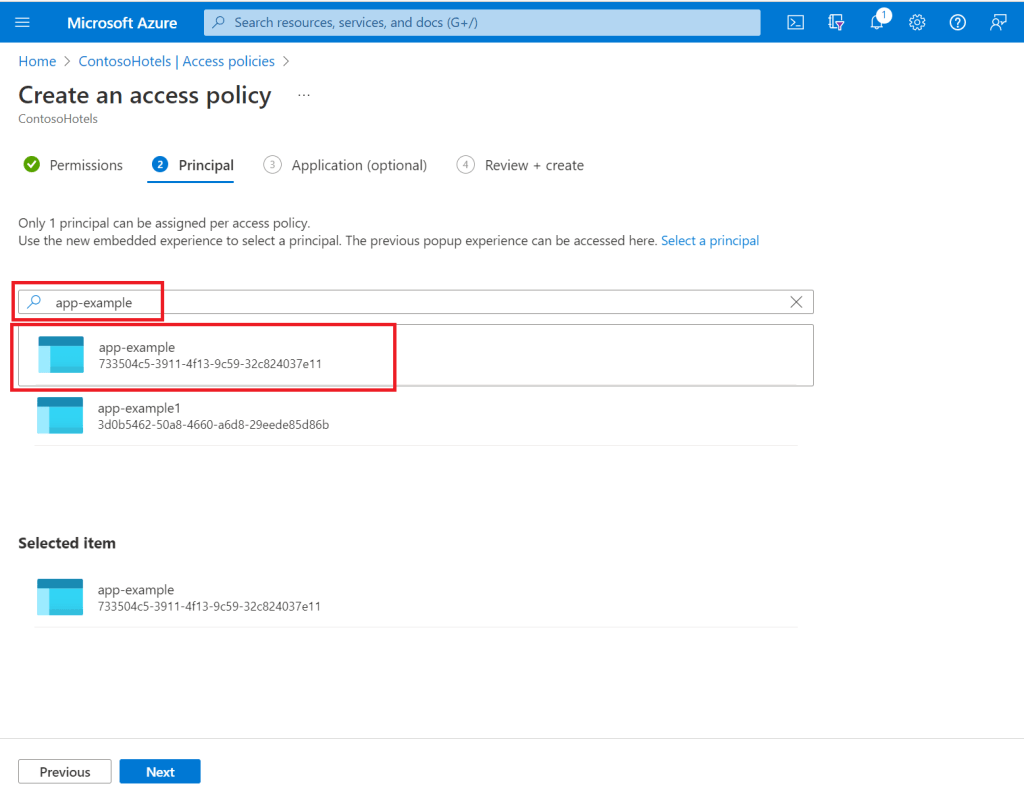
We can give Application name or Principal ID( check Principal ID in Azure function Identity). We have to select like below.
If we want access for User pass Userid instead of PrincipalID and select permissions like earlier screenshot.
We can get screen like below in Review+Create

After configuring, we will get screen like below.

To create Secrets in Azure Key Vault, Goto Settings-> Goto Secrets. Click on Generate /Import
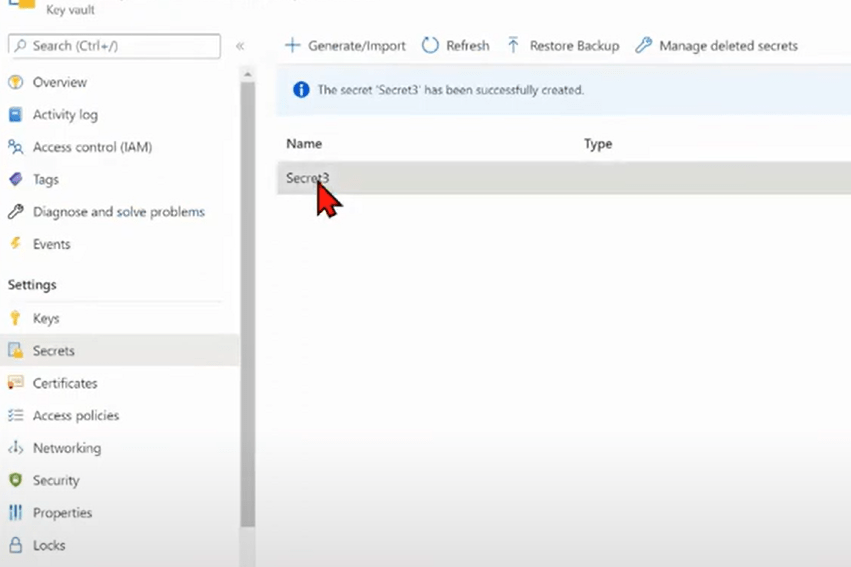

we have to copy Secret Identifier.
We have to pass this modified secret Identifier in Azure function Environment Variables under Settings. Like below.
@Microsoft.KeyVault(SecretUri=https://ourvault.vault.azure.net/secrets/oursecret/variablename)
 Microsoft Dynamics CRM Consultant
Leave a comment